CuraClinic - Complete Clinic Management System
Built a comprehensive clinic management system for appointment scheduling, patient records, staff task management, automated reminders, and post-visit follow-ups, designed to reduce missed appointments and streamline daily operations.
Tech Stack
Key Outcomes
- ✓Centralized appointment scheduling with calendar view and daily dashboard
- ✓Organized patient database with visit history and medical records
- ✓Streamlined staff task management with priority tracking
- ✓Automated appointment reminders via email and WhatsApp
- ✓Structured follow-up tracking to ensure continuity of care
CuraClinic - Complete Clinic Management System
The Challenge
CuraClinic is a small medical clinic that was struggling with operational inefficiency. Appointments were managed through scattered notes and phone calls, patient records were difficult to access, and staff had no unified way to track daily tasks or follow-ups. Missed appointments were common, and important post-visit care was sometimes forgotten.
They needed a single, clean system that would bring together appointment scheduling, patient management, staff workflows, and automated communication, without the complexity or cost of enterprise healthcare software.
Our Solution
We built a complete clinic management system tailored specifically for CuraClinic's daily operations. The system is organized around six core modules that work together to keep the clinic running smoothly.
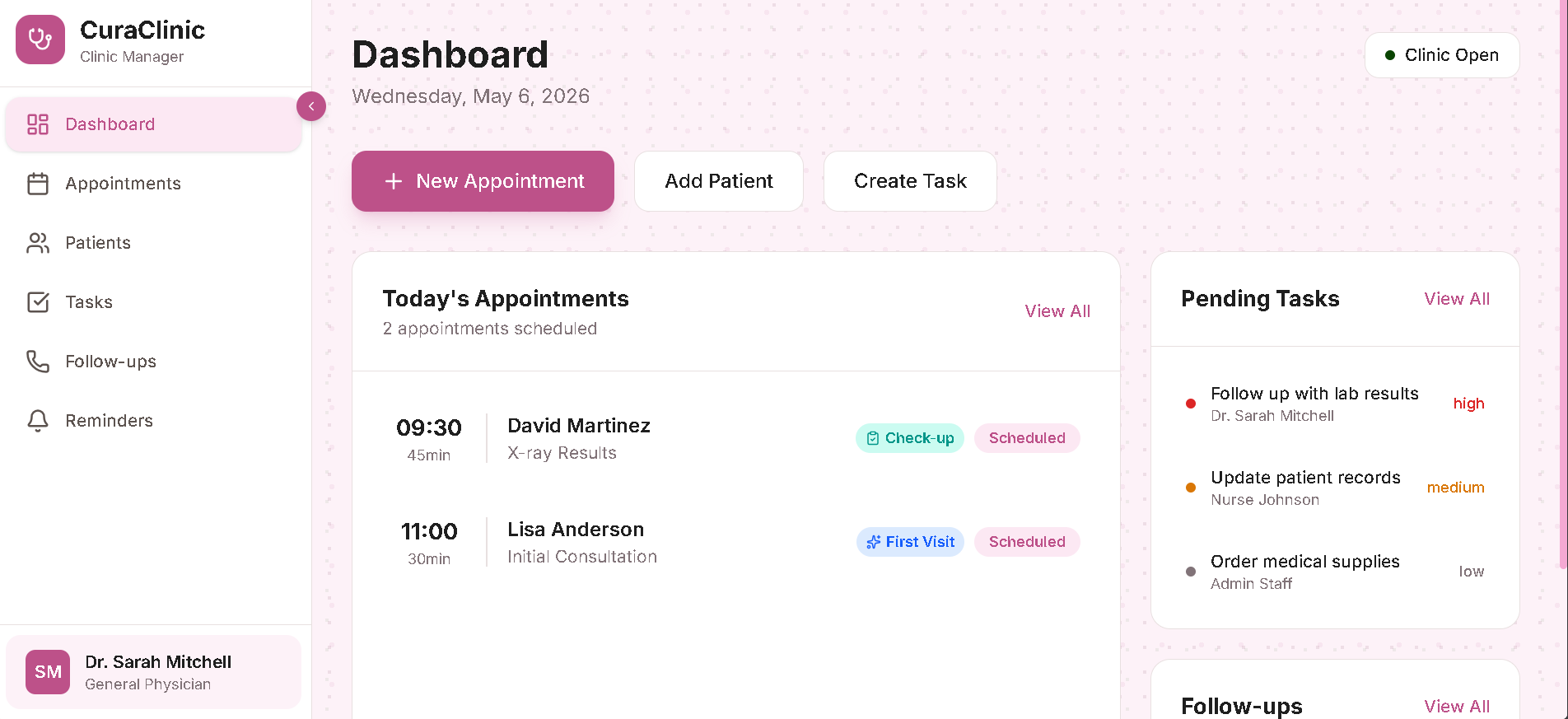
1. Daily Dashboard
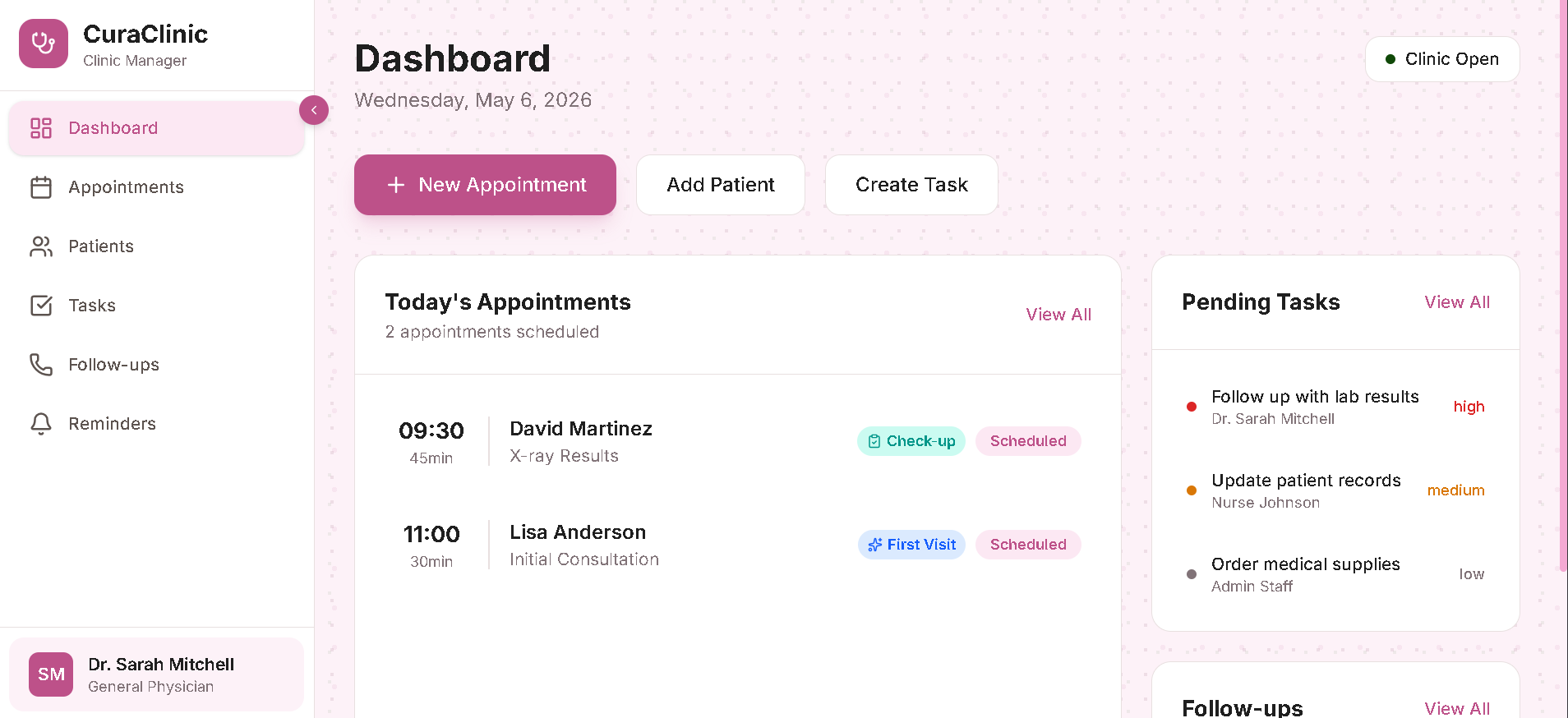
The dashboard gives the clinic staff an instant overview of the day. It shows today's scheduled appointments, pending tasks, and upcoming follow-ups at a glance, so the team starts every shift with full visibility of what needs attention.
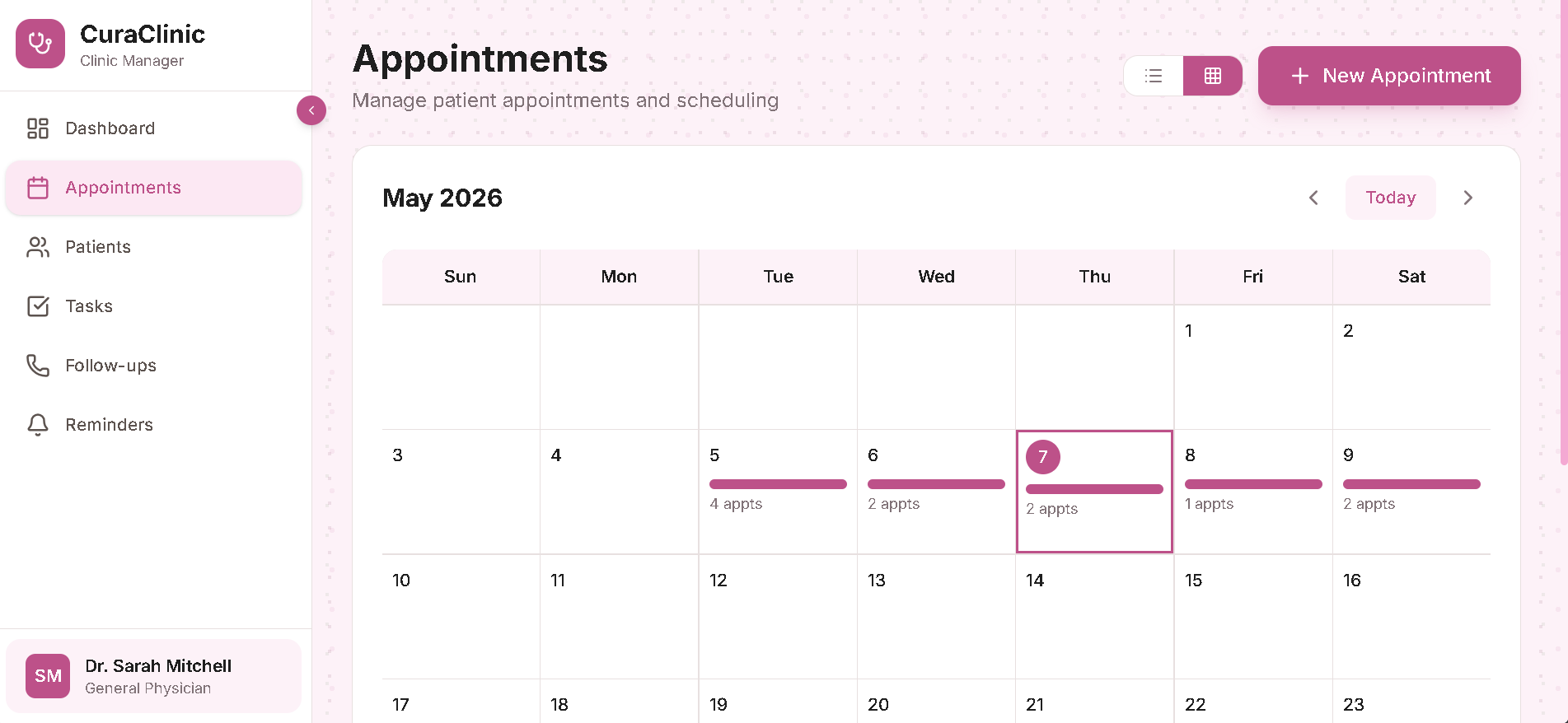
2. Appointment Scheduling
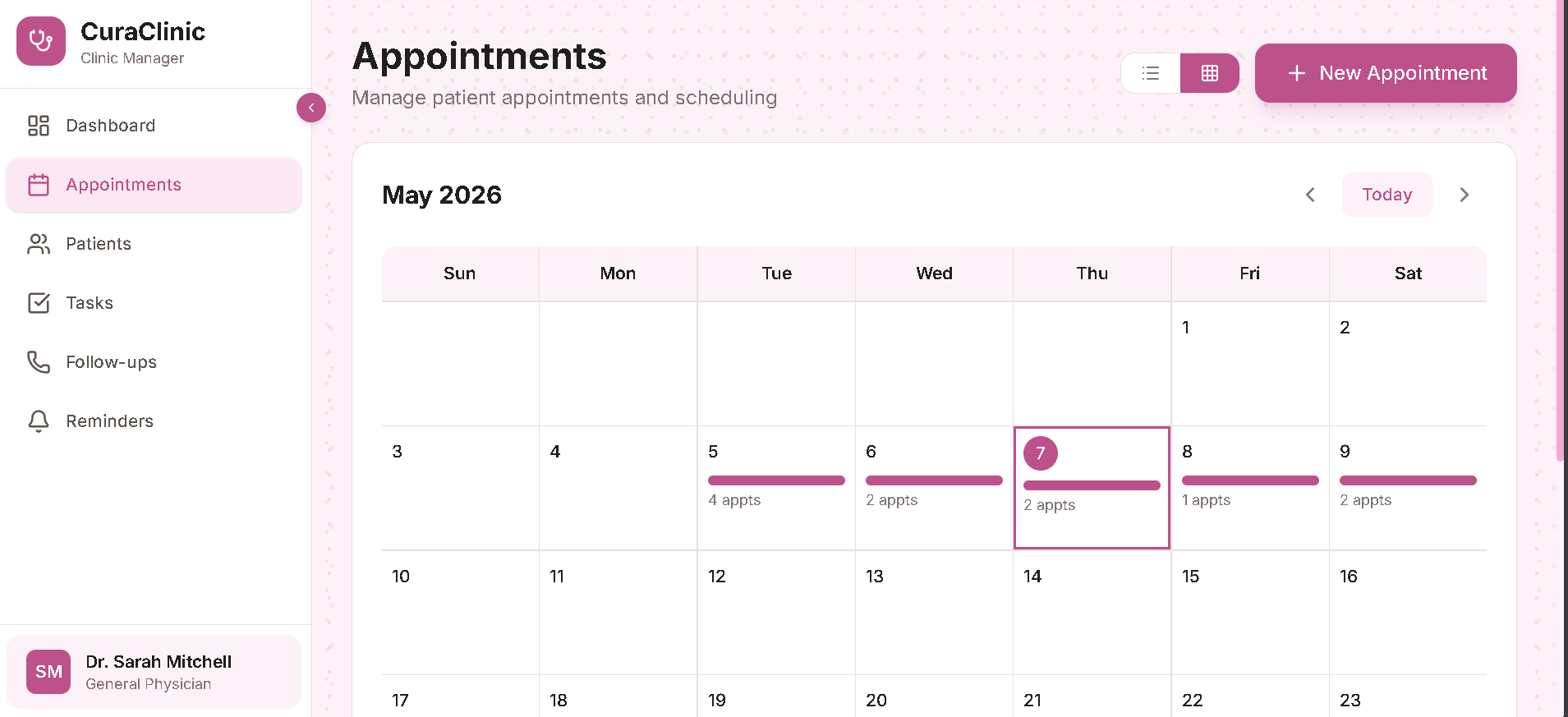
The appointment system allows staff to create, edit, reschedule, and cancel appointments with ease. A calendar view provides a visual overview of the entire month, making it simple to spot busy days and manage the clinic's schedule effectively.
The calendar view provides a visual overview of the entire month, making it simple to spot busy days and manage the clinic's schedule at a glance.
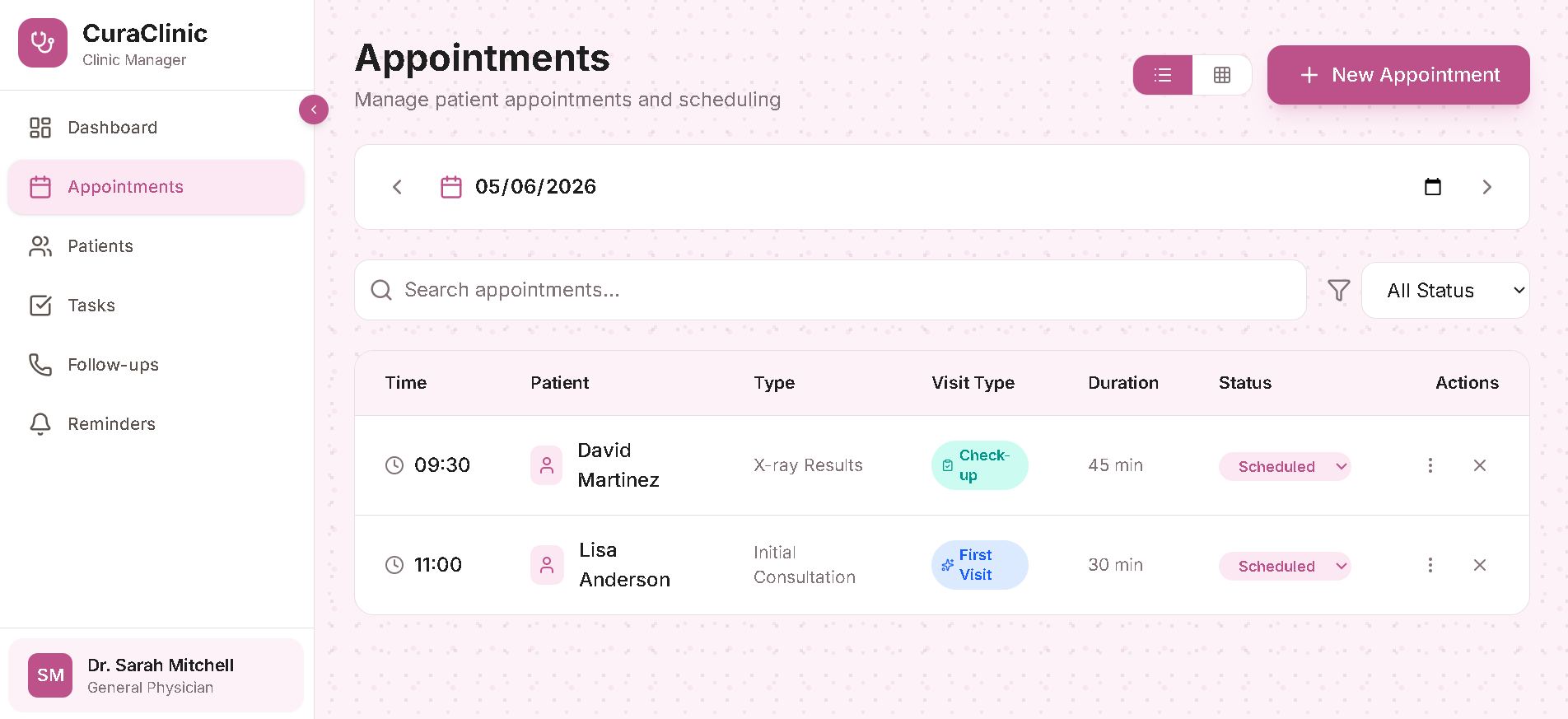
A detailed table view lists all appointments with patient names, visit types, durations, and current status, giving staff full control over the daily schedule.
3. Patient Database
All patient information is stored in a centralized, searchable database. Each patient card displays contact details, date of birth, and visit count, giving staff immediate context before any appointment.
Clicking into any patient opens a detailed view with full contact information, medical history, and a complete visit log. This ensures that doctors and nurses always have the full picture before seeing a patient.
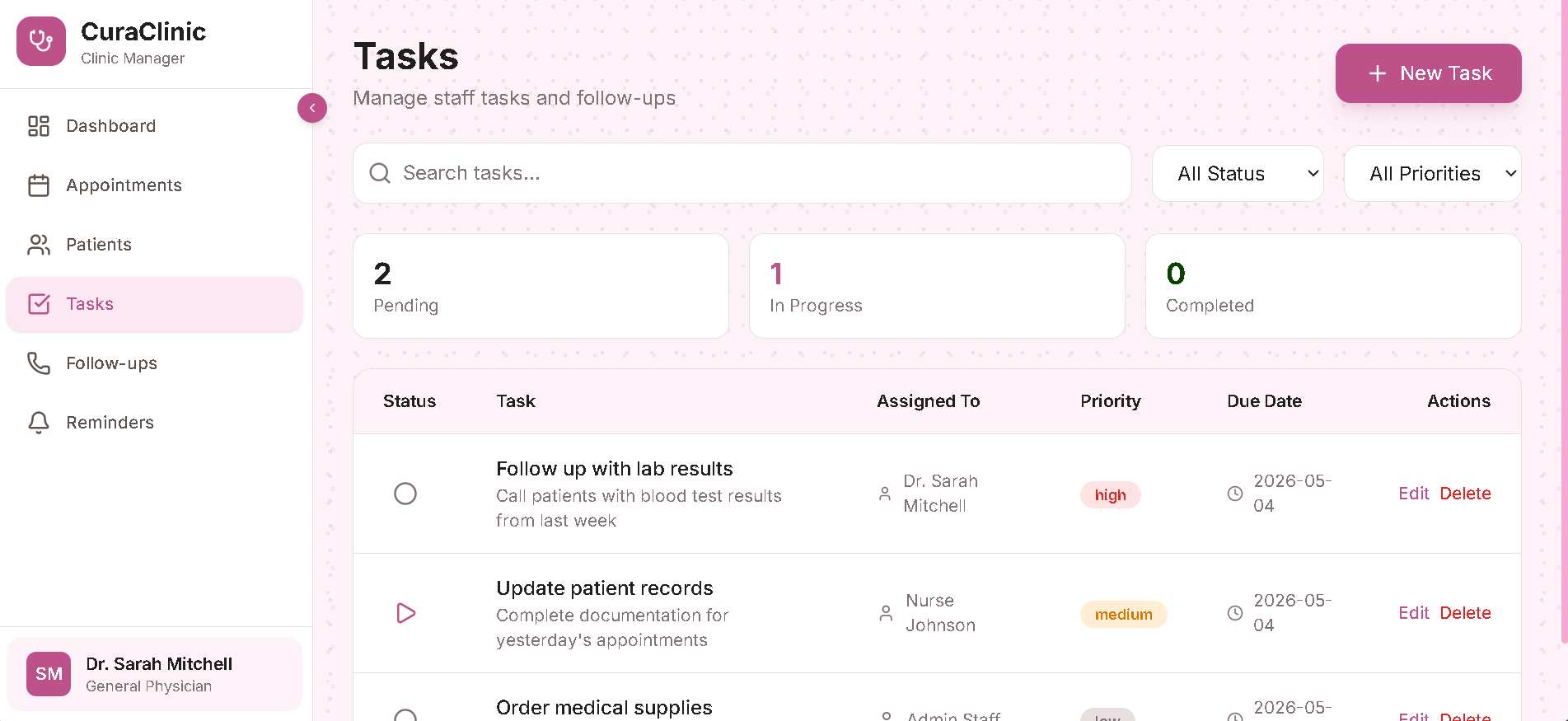
4. Task Management
Clinic staff can create and assign tasks with priorities and due dates. The system tracks pending, in-progress, and completed tasks, ensuring that administrative work, follow-ups, and internal processes never fall through the cracks.
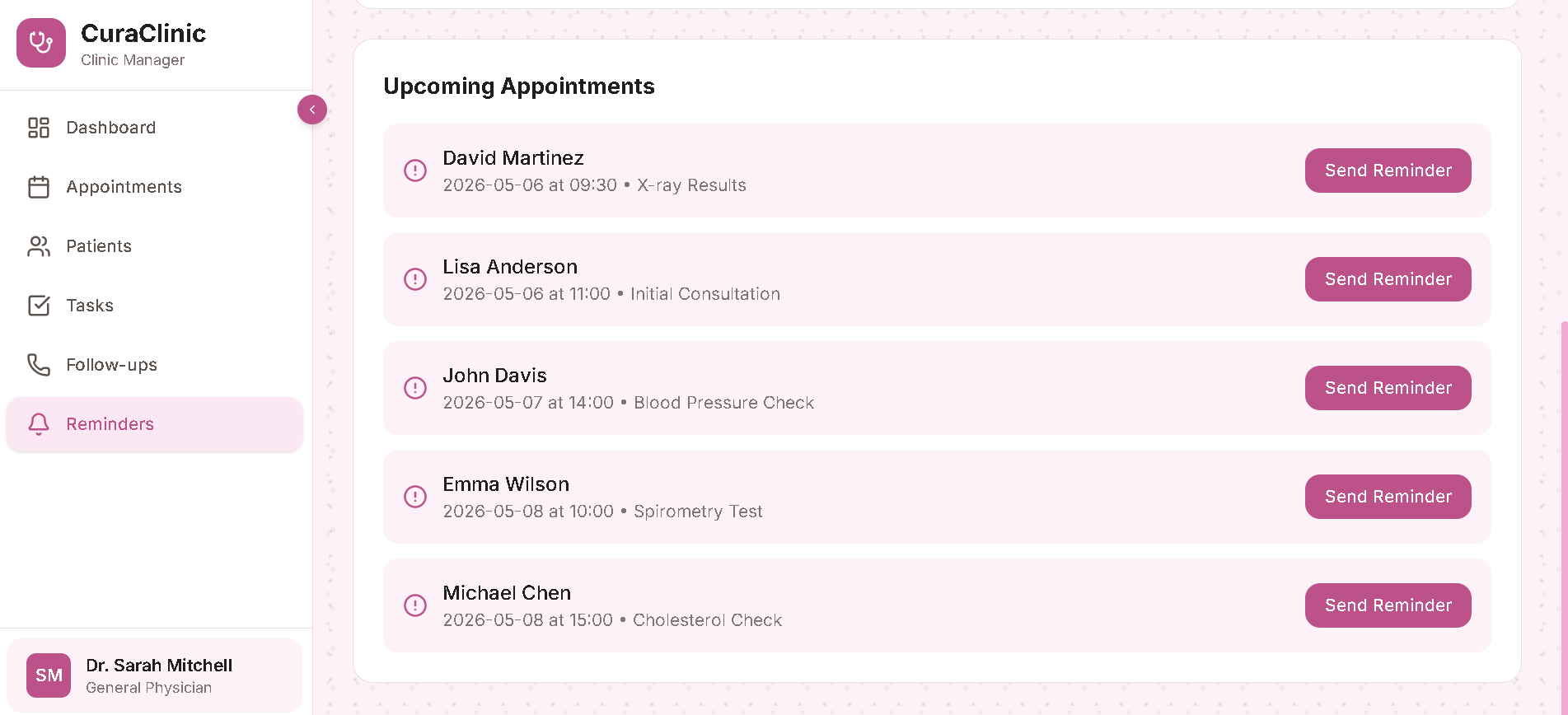
5. Automated Reminders
The system includes a reminders module that lists all upcoming appointments with one-click options to send reminder notifications. This helps reduce no-shows and keeps patients informed about their scheduled visits.
6. Follow-up Tracking
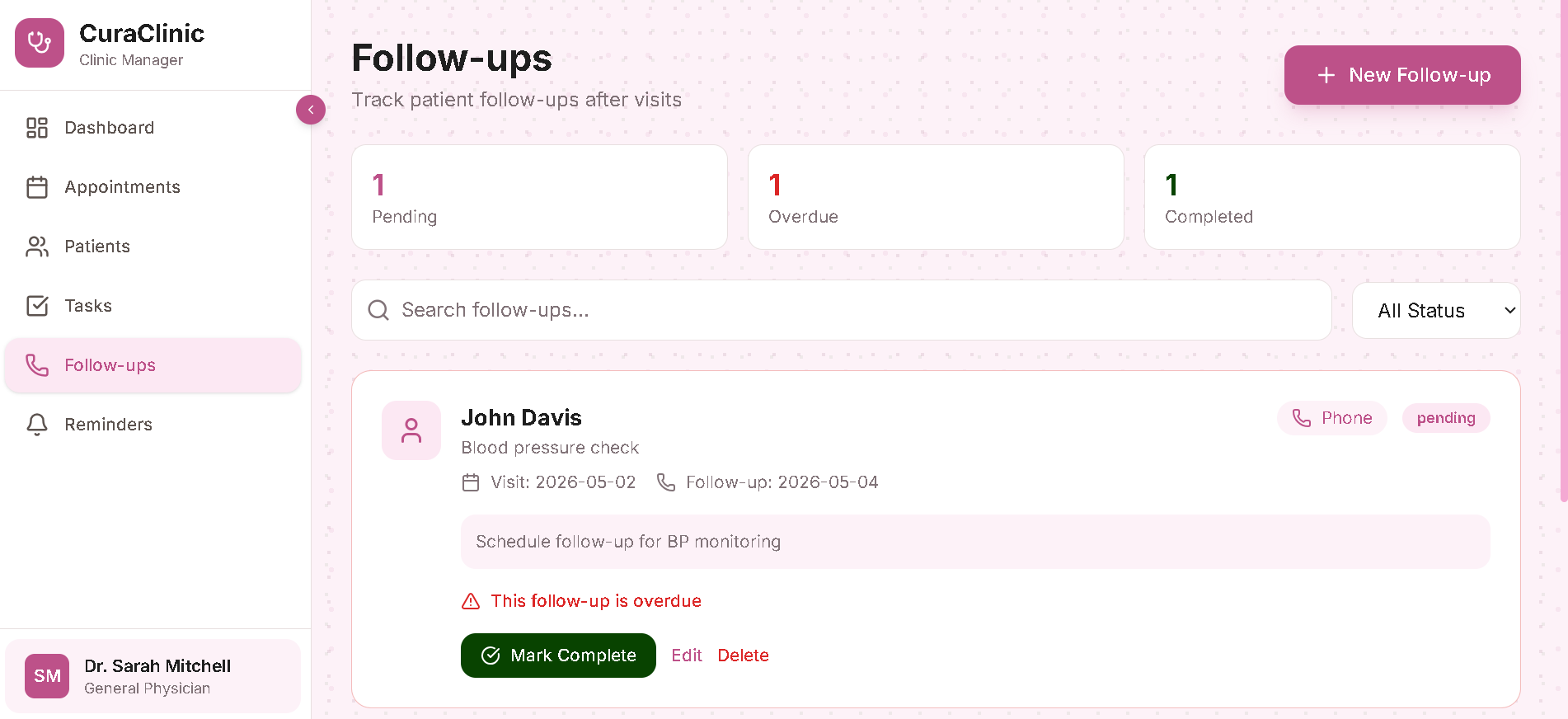
After each visit, the system tracks required follow-ups with clear status indicators: pending, overdue, or completed. Staff can see at a glance which patients need follow-up care and ensure nothing is missed.
Design Principles
The system was built around three guiding principles:
Clean : The interface is intentionally simple, with a soft pink color scheme that feels welcoming and professional, appropriate for a healthcare environment. No clutter, no unnecessary features.
Connected : Every module links to the others. A patient record connects to their appointments, tasks reference specific patients, and follow-ups tie back to visit history. Nothing exists in isolation.
Actionable : Every screen is designed to help staff take action, schedule an appointment, send a reminder, complete a task, or follow up with a patient. Information is always paired with the ability to act on it.
Outcome
CuraClinic now operates with a single system that replaces scattered notes and manual tracking. Appointments are scheduled and visible to the whole team, patient records are instantly accessible, staff tasks are organized by priority, and follow-ups are systematically tracked. The clinic spends less time on administration and more time on patient care.